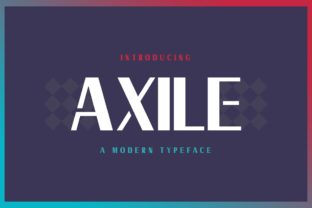
Axile: Creative Asset Hub for Modern Makers
Every creative professional knows the tension: you have ideas, files, references, and versions scattered across folders, drives, and apps. The friction of finding the right asset at the right moment kills momentum. Axile steps into that gap as a dedicated workspace for organizing, sharing, and iterating on creative assets. It is not just a storage tool—it is a structured environment designed to keep your visual and digital materials accessible, consistent, and ready for use. For anyone who works with images, design files, brand assets, or media libraries, Axile offers a practical foundation for turning raw material into polished output.
What Axile Brings to Creative Work
At its core, Axile helps you centralize your assets in a way that makes sense for your workflow. Instead of digging through email attachments or hunting for the latest version of a logo, you get a single, organized source of truth. The platform supports tagging, categorization, versioning, and sharing permissions—features that sound simple but fundamentally change how you move from idea to execution. What makes Axile interesting is not a single flashy feature but the cumulative effect of reducing overhead. When you spend less time searching, you spend more time creating. That shift alone can transform a chaotic process into a repeatable one.
For teams, Axile removes the guesswork around which file is final. For solo creators, it provides a personal archive that grows more valuable over time. The result is a workspace that adapts to your rhythm rather than forcing you into a rigid system.
Organizing Ideas Without Losing Momentum
Creativity does not follow a linear path. You might sketch an idea on a napkin, capture a screenshot of inspiration, download a font, or receive a brief from a client. Each of these moments generates an asset that could become part of a larger project. Axile lets you capture these fragments quickly and tag them loosely—so nothing gets lost, but nothing slows you down either. You can drop in raw files and refine the organization later. This flexibility is crucial for people who generate ideas faster than they can file them.
A useful approach is to create collections based on themes, clients, or phases of work. For example, a graphic designer might have a collection for mood references, another for client drafts, and a third for final deliverables. Within each collection, tags like “approved,” “in progress,” or “archived” add clarity without needing to move files around. This keeps your workspace fluid without becoming messy.
Adapting Axile for Different Roles
One of the strongest aspects of Axile is how it scales across different types of work. The same platform can serve a solo blogger, a marketing team, or a design agency—but each will use it differently.
For Designers and Creators
If you create visual content, your asset library is your raw material. Axile becomes a place to store color palettes, texture files, typography samples, UI components, and reference images. Designers can version their work internally, share prototypes with collaborators, and keep a history of changes without endless file names. Using Axile as a personal pattern library helps maintain visual consistency across multiple projects. You can tag elements by style, mood, or function, making it easy to reuse past work instead of starting from scratch.
For Marketers and Content Creators
Marketing work relies on speed and brand coherence. Axile allows you to store approved brand assets—logos, fonts, photography, templates—and share access with external partners, freelancers, or agencies. This eliminates the risk of someone using an outdated version. For content creators who publish across multiple platforms, Axile can hold social media templates, video thumbnails, ad creatives, and campaign assets. By tagging assets by platform or campaign phase, you can assemble posts faster and maintain a unified visual language.
For Small Business Owners and Entrepreneurs
When you are running a business, your visual assets are often created by different people at different times. Axile gives you a central library where you can store product images, marketing materials, branding guidelines, and operational templates. You can control who can view or edit each folder, which helps when working with remote teams or agencies. Over time, this library becomes a brand archive that you can draw from for new initiatives, reducing the need to recreate assets.
For Educators and Hobbyists
Even if you are not working commercially, Axile helps organize personal projects. A hobbyist photographer can catalog images by location, date, or subject. An educator can build a library of teaching visuals, handouts, and reference materials that grow each semester. The same tagging and collection features apply, making it a versatile tool for anyone who accumulates digital materials.
Practical Inspiration for Real Projects
Moving beyond theory, here are some concrete ways to apply Axile to your work right now.
- Brand audit library. Collect every piece of visual material your brand has produced in the past year—social posts, ads, presentations, website screenshots, product shots, and collateral. Tag each with the campaign, date, and platform. This gives you a bird’s-eye view of your output and highlights gaps or redundancies.
- Collaborative mood boarding. Invite team members or clients to a shared Axile collection where everyone can drop references, color swatches, and inspiration images. Use comments or tags to capture feedback. This replaces the scattered Pinterest boards and email threads with a single, decision-ready space.
- Template playground. Store reusable templates for social media, email headers, blog graphics, and slide decks. When starting a new project, duplicate the template, apply it to the collection, and work from there. This accelerates production while preserving visual consistency.
- Version history for client work. For each project, maintain a collection with folders for drafts, revisions, and finals. Use version labels so you and the client always know which file is current. This reduces confusion and saves time during feedback loops.
- Personal inspiration vault. Keep a collection of visual references that inspire you—screenshots, color combinations, typography, composition studies. Tag them by quality or technique. When you feel stuck, browsing this collection can spark new directions without leaving your workspace.
These are not hypothetical uses. Each one addresses a real friction point that slows creative work. The common thread is that Axile provides the structure; you provide the direction.
Building Consistency Across Formats and Platforms
Consistency is often the difference between amateur-looking work and professional output. Axile helps you enforce consistency without micromanaging every file. By keeping approved assets in a central location and clearly labeling versions, you reduce the chance of errors. When everyone pulls from the same library, fonts match, logos are correct, and colors align.
For cross-platform publishing, consider creating separate collections for each platform but linking them back to core brand assets. A collection for Instagram might include templates and image crops, while a collection for LinkedIn uses the same base assets but different dimensions or copy styles. Tags like “square,” “story,” “landscape,” or “portrait” can help you find the right format quickly.
If you work with external contributors, Axile’s sharing settings allow you to give view-only access to folders with final assets and edit access to folders for work in progress. This boundary keeps finished work safe while allowing collaboration where it matters most.
Keeping Your System Clear and Effective
A tool is only as good as how you use it. To keep Axile from becoming a dumping ground, establish a few simple habits from the start.
First, use consistent naming conventions for files and tags. Whether you prefer dates, project names, or categories, pick a system and stick with it. This makes searching predictable. Second, archive completed projects rather than deleting them. Past work often becomes reference material for future projects. Third, schedule a short weekly or monthly review to clean up stray files, merge duplicate tags, and update statuses. Fifteen minutes of maintenance prevents your library from drifting into chaos.
Finally, resist the urge to over-organize. Tagging and collections should serve your workflow, not complicate it. If you find yourself adding categories that you never use, simplify. The goal is a system that feels effortless to maintain, not one that demands constant attention.
Why Axile Works for the Long Term
The real value of Axile compounds over time. The first week, you might just upload a handful of files. After a month, you have a working library. After a year, you have a personal or team archive that contains the visual DNA of everything you have made. That library becomes a resource for inspiration, a reference for branding, and a starting point for every new project. It saves you from redoing work that already exists and from hunting for assets that should be at your fingertips.
For creators, designers, marketers, entrepreneurs, and anyone who works with digital assets, Axile provides the organizational backbone that frees your attention for the work that matters. It is not a creative tool in the traditional sense—it does not generate ideas or designs. What it does is remove the obstacles between having an idea and executing it. And in a world where creative energy is finite, reducing friction is one of the smartest investments you can make.